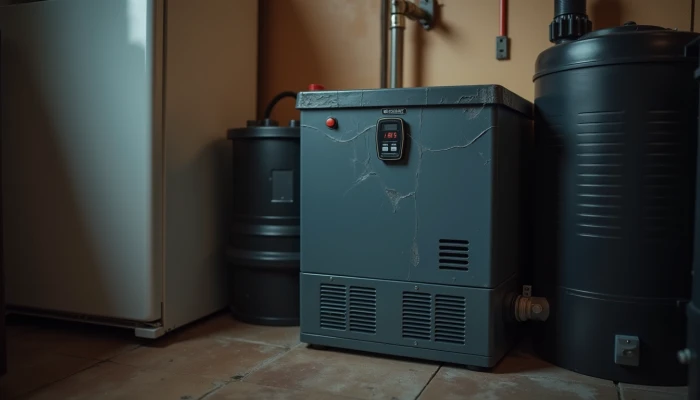
Why a Battery Backup System May Not Perform the Way You Expected
A home battery backup system can seem simple on paper: the power goes out, the battery takes over, and key appliances keep running. In real homes, the experience is often less straightforward. You may notice shorter runtimes than expected, unexplained shutdowns, or a system that struggles with certain appliances even though the battery looks fully charged.
Many of these problems come back to three issues: battery capacity changing over time, inverter compatibility problems, and poor load planning. None of those automatically mean your system is failing. They often mean the system is operating within limits that were not obvious at the time of purchase or installation.
This guide walks through those common issues in plain language. It focuses on what homeowners can check, what symptoms to watch for, and when it makes sense to contact the manufacturer or a licensed installer rather than guessing.
Capacity Degradation Over Time
All batteries lose usable capacity as they age. That does not always mean something is wrong. It means the battery may store less energy than it did when new, so backup time can gradually shrink.
This change is influenced by several factors. Common guidance from manufacturers and battery specialists points to charge and discharge patterns, operating temperature, and total cycle count as major drivers. Frequent deep discharges, very hot conditions, or heavy daily use can all contribute to faster wear.
Typical signs of capacity degradation include:
- Shorter backup duration during outages
- The battery reaching low state of charge sooner than it used to
- More noticeable drops in available energy during high-demand periods
- A gap between expected runtime and actual runtime even when loads have not changed
Before assuming the battery is defective, compare your current use with your original expectations. A battery that once covered evening essentials for many hours may now cover a shorter window, especially after years of use or repeated outage events.
A good first step is to review the monitoring app, inverter portal, or energy management dashboard if your system has one. Look for trends rather than one bad day. If available, check for metrics related to state of health, historical throughput, cycle count, or delivered energy over time. Monitoring is often the clearest way to separate normal aging from a sudden fault.
You can also reduce stress on the battery by using conservative operating habits where your system settings allow it. Practical examples include:
- Avoiding repeated full discharges when backup is not necessary
- Keeping the battery in a temperature range recommended by the manufacturer
- Reviewing whether the battery is being used daily for rate shifting, backup only, or both
- Asking your installer whether current settings are aligned with your priorities for backup versus daily savings
If the drop in performance feels sudden rather than gradual, contact the installer or manufacturer. A sharp change can point to a software issue, a communication problem, or another system fault that should be diagnosed professionally.
Use this quick check to frame the issue before you call support.
| What you notice | What it may suggest | What to do next |
|---|---|---|
| Runtime has slowly declined over months or years | Normal capacity degradation | Review monitoring history and warranty documents |
| Runtime dropped suddenly | Possible fault, settings issue, or communication problem | Contact installer or manufacturer support |
| Battery struggles mainly in hot or cold weather | Temperature-related performance limits | Check operating conditions and manufacturer guidance |
| Battery drains faster after adding more household loads | Load growth rather than battery failure | Recalculate backup needs |
This is also where questions like how much battery backup do I need become more important over time. A system that was sized tightly at the start may feel undersized later as capacity declines and household loads change.
Inverter Compatibility Issues
A battery system depends on more than the battery itself. The inverter plays a central role in how stored energy is converted and delivered to your home. If the inverter and battery are not properly matched, the result can be poor performance, charging problems, or shutdowns during backup events.
Compatibility issues often show up when a battery is added to an existing solar setup, when older equipment stays in place during an upgrade, or when communication settings are not aligned. In plain terms, the battery and inverter need to agree on how they talk to each other and how power should flow.
Common warning signs include:
- The battery charges inconsistently or not at all
- The system shows fault messages or repeated resets
- Backup mode does not activate as expected during an outage
- The system works for light loads but trips off under moderate demand
- Monitoring data appears incomplete or incorrect
A few compatibility checkpoints matter most:
- Battery voltage range
- Supported communication method or protocol
- Firmware and software version requirements
- Whether the inverter is approved by the battery manufacturer for that use case
- Whether the system is configured for backup operation rather than grid-tied solar only
These are not good areas for trial-and-error fixes by homeowners. Hardwired backup systems involve safety controls, shutdown behavior, and code requirements that should be reviewed by qualified professionals.
What you can do is gather clear information before contacting support. Have these details ready:
- Battery model name
- Inverter model name
- Date the issue started
- Any recent changes, such as a software update or added equipment
- Screenshots or photos of fault codes from the monitoring app or display
- A short note on whether the issue happens during charging, discharging, or outage backup
If you are still in the planning stage, compatibility should be confirmed before purchase, not after installation. Manufacturer documentation and installer best practices commonly stress using approved equipment combinations rather than assuming any battery works with any inverter.
This matters for performance as much as reliability. A mismatch may not always stop the system completely, but it can limit charging behavior, reduce usable output, or interfere with backup transitions. If your system seems unpredictable, compatibility is one of the first things a professional should verify.
Proper Load Management for Backup Systems
Many backup complaints are really load-management problems. The battery may be working normally, but the home is asking for more power than the system can deliver, either all at once or over the full outage period.
Two limits matter here:
- Power: how much the system can supply at one moment, usually measured in watts or kilowatts
- Energy: how long it can supply that power, usually measured in watt-hours or kilowatt-hours
A system can have enough stored energy for several hours and still struggle if too many appliances start at once. This is common with motors and compressors, including some refrigerators, well pumps, sump pumps, and HVAC equipment.
That is why critical load planning matters. Instead of assuming a battery can run everything, identify the loads that matter most during an outage and estimate both their running demand and how long they need to stay on.
A simple planning sequence looks like this:
- List the appliances you want backed up.
- Mark which ones are essential versus optional.
- Estimate each item's running wattage and likely daily use time.
- Add up the essential loads first.
- Check whether any appliance has a high startup surge.
- Compare those needs with the battery and inverter ratings.
- Ask your installer whether a critical loads panel or other load-control setup is being used.
For many households, the most useful backup loads are refrigeration, lighting, internet equipment, phone charging, and selected outlets. Some homes also need support for a well pump, sump pump, garage door opener, or heating system controls. The right list depends on the home and outage risk.
Here is a practical way to think about common backup loads.
| Load type | Why it matters | Common planning issue |
|---|---|---|
| Refrigerator or freezer | Food protection | Startup surge may be higher than expected |
| Sump pump | Water protection | Intermittent motor loads can stress smaller systems |
| Well pump | Water access | Surge demand may exceed inverter output |
| Furnace controls or blower | Basic comfort and heating support | May need more than expected during cold weather |
| Internet and lights | Communication and visibility | Usually modest loads, but often forgotten in total planning |
If you are trying to estimate battery backup for refrigerator use, do not rely on the appliance label alone. Refrigerators cycle on and off, and compressor startup can matter as much as average daily energy use.
This is also where a home battery size calculator can help as a rough planning tool. It can organize appliance estimates and backup duration goals, but it should not replace a full review by an installer, especially if you want hardwired backup or support for pumps, HVAC equipment, or large loads.
When a system underperforms, ask these questions:
- Have household loads increased since the system was sized?
- Are too many circuits included in backup mode?
- Is the outage happening during a season with heavier heating or cooling use?
- Are motor-driven appliances starting at the same time?
- Was the system sized for critical loads only, but used as if it were whole-home backup?
In many cases, better load management improves the experience more than adding complexity. Clear priorities, realistic runtime expectations, and actual load data from an energy monitor can make a home battery backup system feel much more predictable.
Conclusion
Most home battery backup problems come down to expectations meeting real-world limits. Capacity can decline over time, inverter mismatches can interfere with normal operation, and unmanaged loads can make a healthy system seem unreliable.
The practical takeaway is to troubleshoot in that order. First, check whether runtime has gradually changed in a way that suggests normal aging. Next, confirm that the battery and inverter are approved to work together and are configured correctly. Then review what the system is actually being asked to power during an outage.
If the issue involves fault codes, sudden performance changes, hardwired equipment, or backup behavior that does not match manufacturer guidance, it is time to involve the installer or manufacturer. That is the safest path for protecting the equipment, your home, and any code or warranty requirements.
A well-planned system does not need to power everything to be useful. In many homes, the most reliable setup is the one built around realistic critical loads and verified compatibility, not the one with the biggest claims.