How Smart Home Automation Can Make Battery Backup More Useful
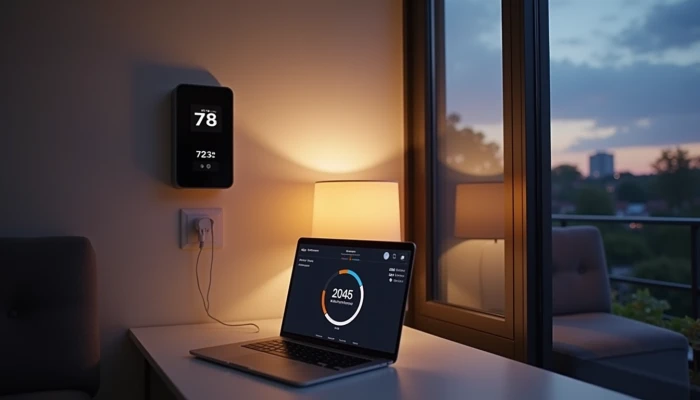
A home battery backup does more than sit idle until the grid goes down. When it is connected to smart home devices and energy controls, it can help your home respond automatically to outages, high-rate periods, and changing battery levels.
The goal is not to turn your house into a complicated tech project. It is to make a few useful decisions happen automatically, such as keeping the refrigerator on during an outage, delaying a dishwasher cycle until lower-rate hours, or sending an alert when battery reserves are getting low.
For most households, the value of integration comes from three things:
- clear communication between devices
- sensible load prioritization during outages
- real-time monitoring that helps you adjust rules over time
This guide explains how those pieces fit together in plain language. It stays at a planning and workflow level, not electrical installation level, because hardwired backup systems, transfer equipment, and code compliance should be reviewed by qualified installers or electricians.
Understanding Communication Protocols for Integration
Smart automation works only when your battery system, smart devices, and control platform can exchange information reliably. That communication may happen through a battery maker's app, a smart home hub, cloud-based integrations, or a mix of all three.
Two common protocols you will see are Wi-Fi 6 and Zigbee.
- Wi-Fi 6 is often used for high-bandwidth, app-based connectivity and internet-linked monitoring.
- Zigbee is commonly used by smart sensors, plugs, and hubs because it supports low-power devices and can work well in a mesh network.
In practice, a battery system may use Wi-Fi for app access and cloud updates, while nearby smart devices use Zigbee through a hub. That means "compatible with smart home" can mean different things depending on the setup.
A simple way to think about integration is this:
| Layer | What it does |
|---|---|
| Battery system | Stores energy and reports status such as charge level or backup mode |
| Inverter or energy gateway | Manages power flow and may coordinate outage response |
| Smart home platform or app | Lets you create rules, alerts, and schedules |
| Smart devices | Carry out actions such as switching loads, adjusting thermostats, or sending notifications |
Before you assume everything will work together, check a few basics.
- Does the battery manufacturer support your preferred smart home platform?
- Is control limited to monitoring only, or can it trigger automations?
- Does the system require its own app instead of a general smart home hub?
- Will important controls still work if the internet is down?
That last point matters during outages. Some systems can continue local control for essential functions, while others depend more heavily on cloud services. If outage performance is your main concern, ask specifically how the system behaves when broadband is unavailable.
You do not need to master networking terms. You just need to confirm that the battery, hub, and devices can share the right information in a stable way.
Prioritizing Loads During Outages with Smart Automation
Load prioritization is where integration becomes genuinely useful. A battery has limits, so the question is not just whether you have backup power for home use. It is which loads should get that power first, and which ones should wait.
A practical setup usually starts with critical loads. These are the circuits or devices you want powered first during an outage, such as refrigeration, lighting, communications equipment, and in some homes a furnace blower, sump pump, or well pump. The exact list depends on your home and climate.
If you are wondering how much battery backup do I need, this is usually the first planning step. Instead of trying to back up everything, list the loads that matter most and estimate how long they need to run.
A simple prioritization framework looks like this.
- Keep safety and food-preservation loads on.
- Keep communication and basic comfort loads available.
- Delay high-consumption convenience loads.
- Shut off nonessential loads if battery reserves fall below your chosen threshold.
Here is a practical example of how automation rules might work.
| Situation | Automation goal | Example rule |
|---|---|---|
| Grid outage begins | Preserve battery runtime | Turn off nonessential smart plugs and pause optional loads |
| Battery drops to reserve threshold | Protect essentials | Keep refrigerator, lights, and router active; disable entertainment circuits |
| Utility rates are high | Reduce grid use | Run selected loads from stored energy if your system supports time-based control |
| Utility rates are low | Shift flexible usage | Start dishwasher or laundry later if the appliance and platform support scheduling |
This is also where a battery backup for refrigerator often becomes a planning anchor. Refrigeration is one of the most common critical loads because it protects food and usually draws far less than whole-home air conditioning or electric resistance heating.
The key is to avoid assuming a battery can run the entire house. Even a large system may need careful load management during a long outage. Smart automation helps by reducing the need for manual decisions every few hours.
An installer may refer to a critical loads panel, energy gateway, or transfer equipment as part of this strategy. You do not need to design that hardware yourself, but you should understand the outcome you want: essential loads first, flexible loads second, and automatic cutbacks before the battery is drained.
Real-Time Monitoring and Energy Management Benefits
Real-time monitoring turns a battery system from a black box into something you can manage with confidence. Most modern systems provide mobile app access to battery charge level, household consumption, solar production if present, and system status during normal operation or outages.
That visibility helps in three ways.
- You can see whether your automation rules are actually reducing unnecessary usage.
- You can respond faster when battery reserves are lower than expected.
- You can spot patterns that suggest a load should be rescheduled, reduced, or removed from backup coverage.
For example, you might notice that overnight battery drain is much higher than expected. Monitoring could reveal that a garage freezer, dehumidifier, or always-on entertainment equipment is using more energy than you realized. That gives you a chance to revise your rules instead of guessing.
Alerts are another practical benefit. Some systems can notify you when battery levels fall to a low threshold, when the home switches into backup mode, or when unusual usage appears. During an outage, that can help you make better decisions early rather than after the battery is nearly empty.
Monitoring is also useful outside emergencies. If your utility uses time-of-use pricing, you may be able to compare how your home behaves during low-rate and high-rate periods and then refine automation schedules around that pattern.
A simple review routine can keep things manageable.
- Check battery level trends after any outage.
- Review which loads stayed on longest.
- Look for devices that used more power than expected.
- Adjust schedules for flexible appliances.
- Confirm that notifications reached the right phone or user account.
This kind of feedback loop is one of the main real-time monitoring benefits. It helps your setup improve over time without requiring constant attention.
If you are comparing systems, ask not only whether they offer monitoring, but what kind of monitoring they offer. Some apps focus on basic battery percentage, while others show load trends, time-of-use settings, battery health information, and automation status in more detail.
Practical Steps for Integration Without Technical Complexity
You do not need to do electrical work yourself to plan a useful integration. What you do need is a clear sequence for choosing compatible parts and defining the automations you want.
Use this high-level process.
- List your essential loads.
- Separate them from flexible or nonessential loads.
- Check whether your battery system supports app-based automation, smart home platform integration, or both.
- Confirm which communication methods are used, including Wi-Fi 6, Zigbee, or a manufacturer-specific gateway.
- Decide which actions should happen automatically during outages, low battery events, and high-rate periods.
- Ask your installer or manufacturer how those rules are implemented and what requires professional setup.
A simple planning checklist can help before you request quotes or support.
- I know which devices or circuits matter most in an outage.
- I understand that not every load needs battery backup.
- I know whether I want monitoring only or true automation.
- I know which smart home platform I already use, if any.
- I have asked whether internet loss affects control functions.
- I have asked how outage switching and critical load support are handled.
- I have asked who configures the app, alerts, and automation rules.
Most integrations are easier when you start with a few clear automations instead of trying to automate the whole house at once.
Good starter automations often include:
- sending an alert when the home enters backup mode
- preserving power for refrigeration, lighting, and internet equipment
- delaying flexible appliances until lower-rate hours
- reducing nonessential loads when battery charge falls below a chosen reserve
This is also a good time to ask broader planning questions, including whether your current backup goals match your battery size. If you are using a home battery size calculator or estimating runtimes, focus on your critical loads first. That usually produces a more realistic plan than sizing around every appliance in the house.
If your system includes solar, the workflow may also include rules for charging from solar during the day and preserving reserves overnight. If it does not include solar, automation can still help shift usage and manage outage priorities.
The main idea is simple: let professionals handle the hardwired setup, and use the app or platform to make your battery behave in a way that matches your household priorities.
Conclusion
Smart integration makes a home battery backup more practical, not more complicated. When communication is reliable, loads are prioritized sensibly, and monitoring is easy to understand, the system can support both outage planning and everyday energy management.
The biggest wins usually come from a few straightforward automations:
- keeping critical loads powered first
- shifting flexible appliance use when rates are lower
- using real-time monitoring to catch waste and adjust rules
What matters most is not having the most advanced setup. It is having one that fits your home, your outage concerns, and your comfort with technology.
Before moving forward, verify compatibility with the battery manufacturer, smart home platform, installer, and utility where relevant. Ask how the system behaves during internet loss, what can be automated, and which parts require professional configuration. That keeps your plan realistic, safer, and easier to live with.