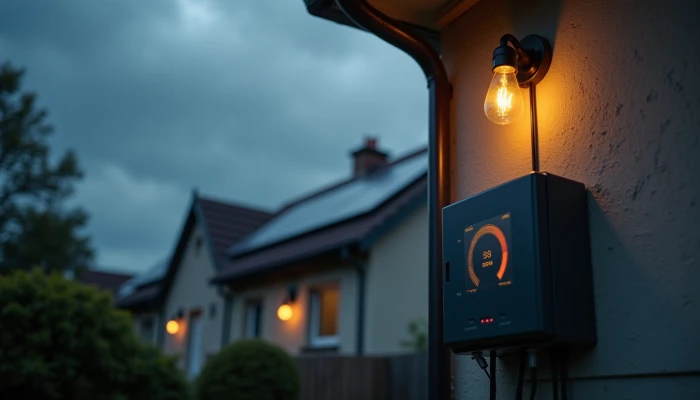
Why a Home Battery Backup Stops Working the Way You Expected
A home battery backup can feel simple when it is first installed: the power goes out, and the battery is supposed to keep important things running. In real use, though, homeowners often run into confusing problems. The system may seem to hold less energy than before, shut down unexpectedly, or fail to support a refrigerator, sump pump, or other critical load the way they expected.
The good news is that many issues can be narrowed down with a calm, structured check before you assume the battery has failed. This guide walks through the most common problems, what may be causing them, and how to troubleshoot safely without getting deep into technical jargon.
It also explains where self-checks should stop. If the issue involves wiring, the electrical panel, unusual heat, burning smells, swelling, repeated fault codes, or anything that feels unsafe, it is time to consult a licensed electrician or the installer who set up the system.
Common Performance Issues with Home Battery Systems
Most home battery backup complaints fall into a few repeat categories. The system may still work, but not in the way the homeowner expected.
One common issue is reduced usable capacity. In plain terms, that means the battery does not seem to last as long during an outage as it once did. Sometimes this is normal aging. Sometimes it is a settings issue, a charging problem, or a mismatch between what the battery was designed to support and what the household is asking it to run.
Another frequent problem is unexpected shutdowns. A battery may stop supplying power during an outage, reboot, or fail to switch over cleanly. In some systems, this can happen because backup mode was not configured for all loads. In others, the battery may be protecting itself from a fault, low charge level, or overload condition.
A third issue is inconsistent power delivery to critical loads. This often shows up when a refrigerator, freezer, furnace blower, well pump, or sump pump does not start reliably on battery power. The battery may have enough stored energy overall, but some appliances draw a larger burst of power when starting than people expect.
That is why a system that looks large enough on paper can still struggle in practice. This is also where questions like how much battery backup do I need or whether a home battery size calculator gave a realistic estimate become important. Total battery size matters, but so do startup loads, inverter limits, and which circuits are actually connected to backup.
Use this quick issue map to frame the problem before troubleshooting.
| Symptom | Possible plain-language cause | What it often points to |
|---|---|---|
| Battery runs out sooner than expected | Higher loads, aging, incomplete charging, changed settings | Capacity or charging issue |
| System shuts down during outage | Fault, overload, low state of charge, transfer problem | Protection mode or configuration issue |
| Refrigerator or pump will not stay on | Startup surge too high or circuit not properly backed up | Load mismatch |
| Battery does not help during blackout | No backup-enabled configuration or switching issue | System design or setup issue |
| App shows alerts or warnings | Communication, charging, temperature, or inverter fault | Monitoring and diagnostics needed |
It is also worth separating expectation problems from equipment problems. For example, a homeowner may expect whole-home battery backup, but the system was designed only for a critical loads panel. In that case, the battery is not necessarily malfunctioning. It may be operating exactly as designed.
Similarly, a battery backup for refrigerator may work well for steady operation but still struggle if other large loads start at the same time. The problem may not be the refrigerator alone. It may be the combined demand on the backup system at that moment.
Step-by-Step Troubleshooting Approach
Start with the safest checks first. The goal is not to repair electrical equipment yourself. It is to gather useful information, rule out simple causes, and know when to escalate.
Follow this sequence.
- Confirm what the system is supposed to back up.
Check your original proposal, owner documents, or monitoring app. Some systems back up only selected circuits, not the whole house. If the battery is not connected to a certain outlet, appliance, or room, that is a design limitation rather than a failure.
- Check the battery's current charge level.
A low state of charge can explain why the system shut down quickly or did not carry loads for long. Some systems also reserve part of the battery for battery health or emergency backup, so the full nameplate capacity may not be available for daily use.
- Review the monitoring app or display for alerts.
Look for plain-language warnings, error codes, or status messages. Do not guess at what a code means. Match it to the manufacturer documentation or installer guidance. Repeated alerts are more useful than a one-time message that clears on its own.
- Inspect visible connections only.
Without opening equipment or touching internal wiring, look for anything obviously loose, damaged, wet, blocked, or disconnected around the battery, inverter, and any accessible shutoff points. If anything looks burned, melted, swollen, or unusually hot, stop there and call a professional.
- Check whether the inverter appears normal.
Many backup systems depend on the inverter to convert stored battery power into usable household power. If the inverter display shows a fault or warning light, the battery may be fine while the conversion equipment is what needs attention.
- Reduce the load and test again.
If the system is shutting down during outages, turn off nonessential loads and see whether critical loads stay on more reliably. This can help identify overload conditions. For example, a refrigerator may run normally once a microwave, space heater, or other high-demand device is removed from the backed-up circuits.
- Think about what changed recently.
New appliances, changed utility settings, software updates, seasonal temperature swings, and altered backup preferences can all affect performance. A problem that appears suddenly is sometimes tied to a recent change rather than battery failure.
- Test expectations against actual loads.
If you are asking, "Why does my battery not last as long as I expected?" list the devices you want to run and compare that list with the system's intended backup design. This is often more useful than relying on a generic home battery size calculator after the fact.
This checklist can help you organize what you find before calling support.
- What loads were on when the problem happened?
- Was the grid down, or was this during normal operation?
- What was the battery charge level?
- Did the app show an alert or fault code?
- Did the inverter show a warning light?
- Did the issue happen once or repeatedly?
- Was there any recent equipment change, storm event, or setting change?
- Which circuits or appliances lost power?
A few troubleshooting boundaries matter.
- Do not open battery enclosures.
- Do not remove covers from electrical equipment.
- Do not attempt panel work, rewiring, or transfer switch work yourself.
- Do not bypass shutdowns, alarms, or safety interlocks.
If your notes point to overload rather than failure, the practical fix may be operational rather than mechanical. That could mean prioritizing fewer loads, changing backup settings with installer help, or revisiting whether the system was sized for your real outage needs.
When to Consult a Licensed Electrician
Some battery issues are not homeowner troubleshooting issues. They are electrical safety issues.
Call a licensed electrician, qualified installer, or manufacturer-authorized service provider if you notice any of the following.
- Burning smells
- Unusual heat at the battery or inverter
- Swelling, bulging, or visible damage
- Water intrusion near system components
- Repeated shutdowns with no clear cause
- Fault codes that return after basic checks
- Backup circuits that behave unpredictably
- Signs that the system is not isolating from the grid correctly during an outage
You should also get professional help if the problem appears to involve the electrical panel, transfer equipment, inverter wiring, or a critical loads panel. Those are not safe DIY areas.
Professional help is especially important when the issue affects essential equipment such as a well pump, sump pump, refrigeration, or heating components. In these cases, the right question is not just "Can I get it working again?" but also "Is the system configured safely and appropriately for this load?"
A licensed electrician or experienced installer can help determine whether the issue is caused by:
- A failed component
- A configuration problem
- An overload condition
- A circuit selection problem
- A transfer or isolation issue during outages
- A mismatch between the battery system and the loads it is expected to support
This matters because some homes simply need a different backup strategy. Guidance from public agencies and industry sources commonly notes that not every home battery system is suitable for every backup need, especially when large motors or broad whole-home coverage are involved.
If you have already followed the manufacturer's troubleshooting steps and the problem is still unclear, that alone is a good reason to stop and call for service. Clear documentation from your side will make that process faster.
Before you call, gather these details.
- System model names if available
- Date and time the issue occurred
- Screenshot or photo of alerts, if safe to take
- Which appliances or circuits were affected
- Weather or outage conditions at the time
- Any recent changes to loads or settings
That information helps the electrician or installer diagnose the issue without guesswork and reduces the chance of unnecessary visits or repeated troubleshooting.
Conclusion
Home battery backup problems are often less mysterious once you separate three things: what the system was designed to do, what it is doing now, and what changed before the problem started.
Reduced runtime, shutdowns, and trouble powering key appliances do not always mean the battery itself has failed. Sometimes the real issue is load planning, settings, inverter faults, or backup configuration. A steady troubleshooting process can help you identify those patterns without taking unsafe shortcuts.
Regular monitoring, basic visual checks, and realistic expectations about critical loads can prevent many common frustrations. But when the problem involves heat, odors, swelling, repeated faults, panel equipment, or anything you cannot clearly verify from manufacturer guidance, bring in a licensed electrician or qualified installer. That is the safest way to protect both your backup system and your home.