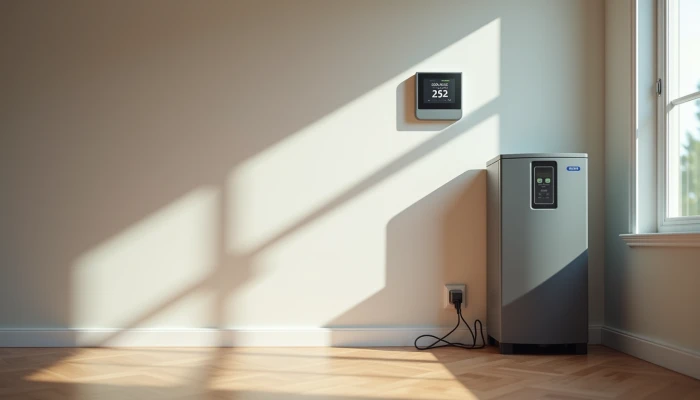
Making Your Battery and Smart Thermostat Work Better During Outages
A smart thermostat can do more than keep the house comfortable. When it is paired thoughtfully with a home battery system, it can also help you use limited backup power more carefully during an outage.
The challenge is that many homeowners hear that these systems "work together" without getting a clear explanation of what that really means. In practice, integration is less about fancy automation and more about a few useful goals: keeping the thermostat powered, deciding whether heating or cooling should stay on backup circuits, and using settings that reduce battery drain without making the home unlivable.
This guide explains how smart thermostat integration supports battery backup during outages, what load management strategies matter most, and how to prepare your setup before you need it. It stays focused on practical planning rather than product picks or electrical installation steps.
Understanding Smart Thermostat-Battery System Integration
At a basic level, integration means your thermostat, HVAC equipment, and backup power setup are planned as one system instead of as separate purchases. The thermostat does not create backup power on its own. It helps control how one of the home's biggest energy loads behaves when the grid is down.
That matters because a thermostat uses very little electricity compared with the heating or cooling equipment it controls. In many homes, the real question is not whether the thermostat can stay on. The bigger question is whether the battery can support the furnace blower, air handler, controls, heat pump components, or other HVAC loads tied to that thermostat.
In a well-planned setup, a home battery system may support some or all of the following during an outage:
- The thermostat itself, so schedules and settings are retained
- HVAC control boards or ignition systems for compatible heating equipment
- Selected heating or cooling functions on a critical loads panel
- Communication with a home energy management system that can reduce nonessential loads
Some manufacturer guidance also points to deeper integration between energy systems and smart thermostats. In those setups, the thermostat can respond to outage conditions or energy management signals by using more conservative temperature targets. That does not mean every thermostat can directly "talk" to every battery. In many homes, the connection is indirect through a smart panel, inverter controls, or a broader home energy management system.
A simple way to think about it is this:
| Part | What it does during an outage |
|---|---|
| Battery | Supplies stored electricity to selected circuits |
| Inverter or backup controls | Manages how battery power is delivered |
| Thermostat | Calls for heating or cooling based on settings |
| HVAC equipment | Uses the actual power needed to heat or cool |
| Energy management system, if present | Helps prioritize loads and automate cutbacks |
This is why compatibility checks matter. A thermostat may have internal battery backup for memory or display functions, but that does not guarantee your heating or cooling system will operate during an outage. Likewise, a battery system may provide backup power, but only to circuits chosen in the design.
Before assuming your HVAC will run on battery backup, confirm three things with a qualified installer or electrician:
- Which HVAC components are actually on backed-up circuits
- Whether startup power and running power fit within the battery and inverter limits
- Whether the thermostat, controls, and internet-dependent features still behave as expected when the grid is down
Load Management Strategies for Outage Resilience
The main value of thermostat integration during an outage is load management. Heating and cooling can drain stored energy quickly, so the goal is usually not to maintain normal comfort at all costs. It is to preserve safe, reasonable indoor conditions while making battery runtime last longer.
A practical approach is to decide in advance which loads are truly critical. For many households, refrigeration, lighting, communications, and a few outlets matter more than full-time air conditioning. In cold weather, heating controls or a furnace blower may be higher priority. In wet areas, a sump pump may outrank some HVAC use. This is also where questions like how much battery backup do I need become more realistic. The answer depends on what you expect the battery to run, for how long, and under what weather conditions.
Smart thermostat settings can support this by reducing unnecessary runtime. Common load management strategies include:
- Widening the temperature setpoint range during outages
- Using away or eco modes when rooms are unoccupied
- Preventing short cycling that wastes energy on frequent starts
- Coordinating HVAC use with other large loads so everything does not run at once
- Letting a home energy management system shed nonessential loads first
Some integrated systems go further by coordinating batteries, thermostats, appliances, and solar production. If your home has solar plus battery storage, that may allow more daytime HVAC use when solar output is available and more conservative settings after sunset.
A useful planning exercise is to rank household loads before an outage happens.
| Priority level | Typical examples | Thermostat implication |
|---|---|---|
| Must keep running | Fridge, medical communications, internet, some lights, sump pump if needed | HVAC may need to scale back to protect battery runtime |
| Important but flexible | Furnace blower, well pump, freezer, limited cooling or heating | Use wider temperature bands and scheduled setbacks |
| Nice to have | Whole-home cooling, space comfort in unused rooms, laundry | Usually reduced or paused during battery-only operation |
This kind of ranking also helps with secondary planning questions such as battery backup for refrigerator versus HVAC tradeoffs. In a smaller system, running both continuously may not be realistic. A thermostat that shifts into a lower-demand mode can free up battery capacity for food safety, water movement, or communications.
If your installer offers a critical loads panel or smart load controls, ask how thermostat-driven HVAC loads are prioritized during outages. The best setup is usually the one that makes those tradeoffs predictable instead of forcing you to improvise in the dark.
Optimizing Thermostat Settings for Battery Efficiency
Once the system is compatible, the next step is to choose settings that match your battery's real limits. This is where many homeowners overestimate what backup power can do. A battery may keep essential circuits running for hours, but HVAC can change that runtime quickly.
Start with a simple planning question: what indoor temperature range is acceptable during an outage? You do not need one perfect number. A range is more useful because it gives the thermostat room to reduce cycling.
For example, instead of trying to hold the home at a normal comfort setting around the clock, you might plan for a broader heating or cooling band during outages. That reduces run time and helps preserve battery reserves for a longer event.
A practical sequence looks like this:
- Estimate the loads you want on backup power.
- Identify whether HVAC is full, partial, or not included in backup circuits.
- Review battery capacity and inverter limits with your installer.
- Choose outage temperature ranges that fit those limits.
- Test whether schedules, eco mode, and manual overrides behave as expected.
If you are using a home battery size calculator, treat HVAC assumptions carefully. Cooling and electric heating can be among the largest loads in the house, and calculators may not capture every startup surge, weather extreme, or equipment detail. Conservative assumptions are safer than optimistic ones.
Smart thermostat features that often help battery efficiency include:
- Scheduled setbacks during sleeping hours or when rooms are unused
- Away mode for extended absences during outage conditions
- Alerts that let you respond before the battery is deeply discharged
- Remote control, if your internet and network equipment remain powered on backup
- Integration with solar-aware or time-based energy management rules
If your home also has solar, thermostat scheduling can sometimes align better with production windows. For example, more heating or cooling may be practical when solar is actively recharging the battery, while evening settings may need to be more conservative. Similar logic can apply in normal grid-connected operation under time-of-use rates, though savings depend on local rates, system design, and household habits.
The goal is not to make the house uncomfortable. It is to avoid wasting stored energy on narrow temperature targets that provide little real benefit during an outage.
Use this quick checklist when reviewing thermostat settings for backup operation.
- Do outage setpoints differ from normal daily comfort settings?
- Are unused rooms or zones reduced during backup operation?
- Is the thermostat likely to trigger frequent HVAC cycling?
- Will internet loss disable any features you are counting on?
- Does the plan change between summer and winter outages?
- Have you confirmed that battery reserve settings leave enough power for other critical loads?
Preparing for Outages with Integrated Systems
The best time to find a problem is before the outage, not during it. Preparation is mostly about verification: confirming that the thermostat stays functional, the right circuits are backed up, and your household knows what to expect.
Start by asking your installer or electrician to explain the outage sequence in plain language. When the grid drops, what stays on? Does the thermostat remain powered immediately? Which heating or cooling functions are available? Are there delays, lockouts, or manual steps after power returns?
Then do a low-stress test if your system allows it. You are not doing electrical work yourself. You are checking behavior. Watch for issues such as lost schedules, Wi-Fi dependence, comfort settings that are too aggressive for battery mode, or HVAC equipment that draws more power than expected.
A practical readiness checklist can help.
- Confirm the thermostat has whatever backup power or memory retention the manufacturer specifies.
- Verify whether your HVAC equipment is actually connected to backed-up circuits.
- Check whether your router or home network also needs backup power for app-based controls.
- Review battery reserve settings and outage modes with your installer.
- Label critical loads so household members know what should stay on.
- Revisit settings seasonally, especially before extreme heat or cold.
It is also worth planning for communication failures. Some smart thermostat features depend on cloud services, apps, or internet access. During an outage, local control may matter more than advanced automation. Make sure someone in the home knows how to adjust settings directly at the thermostat if needed.
Finally, keep expectations realistic. A battery-backed thermostat can help manage comfort and extend runtime, but it cannot overcome a system that is undersized for the loads you expect it to carry. If you are still deciding on system size, bring a written list of critical loads to your installer, including HVAC priorities, refrigeration, internet, and any pumps or essential appliances. That conversation is more useful than asking for "whole-home backup" in general terms.
For many households, outage resilience improves most when the thermostat is treated as part of a broader backup plan rather than as a standalone smart-home feature.
Conclusion
A smart thermostat can make a home battery system more useful during outages, but the benefit comes from planning, not marketing language. The thermostat helps control one of the biggest household loads, which makes it an important part of load management strategies when stored power is limited.
The most practical approach is to confirm what your battery actually backs up, set wider outage temperature ranges, and test how the system behaves before an emergency. If you are comparing options or trying to estimate how much battery backup do I need, include HVAC expectations early so your backup plan reflects real load limits.
For safety and compatibility, leave system design and electrical decisions to qualified professionals. A clear conversation with an installer about backed-up circuits, thermostat behavior, and seasonal settings will usually do more for home energy resilience than adding more smart features without a plan.